Instagram Update Today: Exciting New Features (No More Missing Out) in 2026

Introduction
If you opened Instagram today and felt like something looked different, you are not imagining things. The Instagram update today brings a mix of small tweaks and genuinely useful tools that people have been asking for. Some of you will see these changes right away. Others will refresh the app five times and wonder why nothing has changed. Both reactions are normal, and I will explain why in a bit.
This article walks you through everything happening with Instagram right now. You will learn what actually changed, how the new features stack up against the old ones, and how to update your app the right way. We will also cover why some features roll out slower for certain users, and what to do if your app just refuses to cooperate.
What Is The Instagram Update Today
Instagram rarely does one giant overhaul anymore. Instead, it ships small batches of features throughout the month, and today’s update fits that pattern. Instagram now lets you replace the audio on posts you have already published, swapping the music or sound on feed posts and carousels without deleting and reuploading them. That alone is a big deal for creators who cringe every time a trending sound gets pulled or muted for copyright reasons.
There is more. Instagram also introduced a feature called Instants, made for sharing spontaneous, unedited photos that disappear once opened and cannot be viewed after 24 hours. Think of it as a much more casual cousin of Stories, without filters or pressure to look perfect. This month, Instagram also added video recording inside the Instants camera, so you are no longer limited to photos only.
On top of that, Instagram now allows people to remove reposts of their own content shared by others, which is a small but welcome bit of control. There is also a new “Your Algorithm” feature that lets you customize what shows up on your Reels feed, accessible through a two hearts icon in the upper right corner of the Reels tab.
What New Features Were Added To Instagram Today
Let me break this down so it is easier to scan. viewflare
- Replace Audio: swap the sound on already published posts and carousels, keeping all your likes, comments, and reach intact
- Instants: quick, unfiltered photos and now short videos sent to close friends, gone after one view
- Your Algorithm: a direct way to shape your Reels recommendations
- Repost removal: take down reposts of your content that other accounts shared
- Photo comments: you can now add actual images directly into the comment section under posts and Reels, not just text or emojis
- Screenshot prevention for Stories: Instagram is rolling this out to give people more privacy over their Story views SocialBee
I have tested a few of these myself, and Replace Audio is the one I think most people will actually use. It solves a real annoyance. Instants feels more experimental, and I would not be surprised if it changes shape again in a few months.
Old vs New: A Quick Feature Comparison
Here is a simple table to show how things have shifted. viewflare
| Feature | Old Instagram | New Instagram (Today) |
|---|---|---|
| Changing post audio | Had to delete and repost | Replace audio anytime, keep your stats |
| Sharing casual photos | Only through Stories or DMs | Instants, disappearing after one view |
| Reels personalization | Limited to likes and follows | Your Algorithm lets you fine tune it |
| Handling reposts | No control over reposts | You can remove reposts of your content |
| Commenting | Text, emojis, GIFs only | Actual photos allowed in comments |
| Story privacy | Screenshots often undetectable | Screenshot prevention rolling out |
Seeing it side by side really shows how much creator control has grown this year.
Why These Changes Matter
None of these updates are flashy in the way a total redesign would be. But they solve everyday frustrations. Creators have wanted audio replacement for years. Casual sharing without the pressure of a polished feed has been a repeated request too. Instagram seems to be listening, even if the rollout feels scattered. source: Instagram
How Do I Update Instagram Today
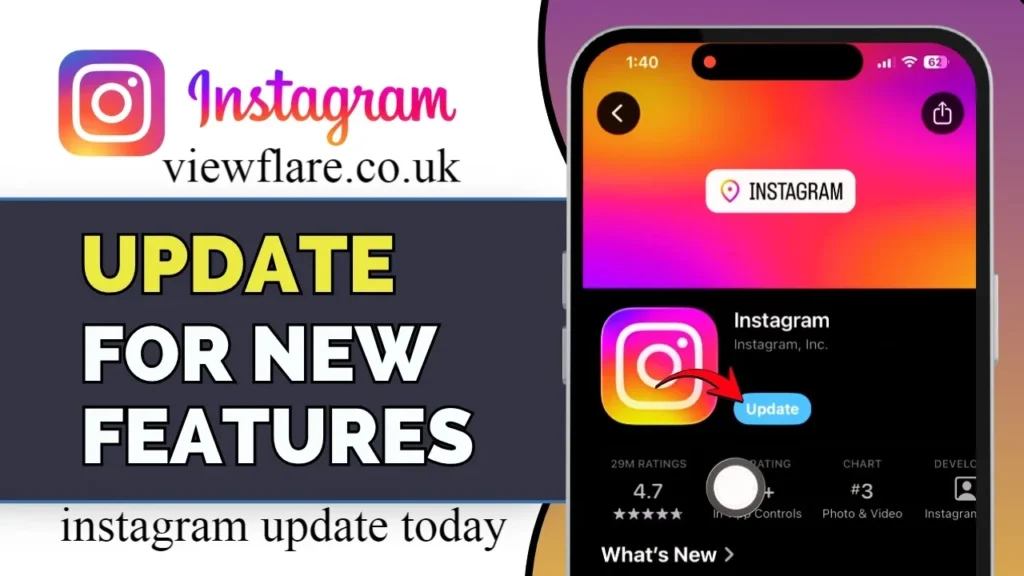
If you want these features, you need the latest app version. Here is how to get it, step by step.
On iPhone (iOS)
- Open the App Store
- Tap your profile icon in the top right
- Scroll down to see pending updates
- Find Instagram and tap Update
- If nothing shows up, tap Update All just to be sure
On Android
- Open the Google Play Store
- Tap your profile icon, then go to Manage apps and device
- Look for Instagram under available updates
- Tap Update next to it
- Restart the app once the update finishes
On Desktop or Browser
- Instagram’s browser version updates automatically
- Simply refresh the page or clear your browser cache
- Log out and back in if features still seem missing
I always recommend restarting your phone after a major app update. It sounds old fashioned, but it genuinely clears out glitches that a simple app restart does not fix. viewflare
Why Don’t I Have The Latest Instagram Features
This is probably the most common complaint I hear, and honestly, it is not your fault. Instagram almost never releases features to everyone at once.
Here is why you might be missing out.
- Staggered rollout: Instagram tests features on small groups before expanding, sometimes over weeks
- Region restrictions: some features launch in the US or Europe first
- Account type: business and creator accounts sometimes get early access, or the opposite happens
- App version mismatch: you might be a version or two behind without realizing it
- Server side toggles: some features are switched on remotely by Instagram, not by your app update alone
So if your friend has Instants and you do not, it is probably not a settings issue. It is simply how Instagram tests and expands new tools.
Is The Instagram Update Available In My Country
Availability really does vary. Instagram Plus, the platform’s subscription tier with extra creator tools, launched with region based access rather than everywhere at once, and that pattern repeats with most new features. If a feature feels big enough to make headlines, there is a good chance it started in one or two countries first.
The most reliable way to check is simple. source: SocialBee
- Make sure your app is fully updated
- Search your feature name plus your country online to see recent rollout news
- Check Instagram’s official account or Help Center for regional rollout notes
- Give it a week or two if you are outside the US, since expansion is often gradual
Troubleshooting Tips For The Instagram Update Today
If you have updated the app and still cannot find these features, try these fixes in order.
- Force close the app completely, then reopen it
- Check for a second, smaller update that may have been missed
- Clear the app cache through your phone settings
- Log out and log back into your account
- Uninstall and reinstall the app as a last resort
- Make sure your phone’s operating system is also updated, not just the app
Sometimes the fix really is that boring. I have lost count of how many times a simple log out and log back in solved a missing feature issue for me.
Supported Devices And Operating Systems
Most new Instagram features need a fairly recent operating system to work properly.
- iOS 15 or later for iPhone and iPad
- Android 8.0 or later for most Android phones
- A stable internet connection, since several features rely on real time processing
- Updated app version, ideally within the last month
Older devices can sometimes run the app fine but miss out on newer visual features like Instants or Replace Audio, simply because the phone’s hardware or OS cannot support them smoothly.
Wrapping It Up
The Instagram update today brings some genuinely practical tools, from swapping audio on old posts to sending disappearing photos through Instants. Not everyone will see these changes immediately, and that is just how Instagram’s rollout process works. Update your app, be patient with regional availability, and use the troubleshooting steps above if something still feels off.
Have you noticed any of these new features on your account yet? Let me know which one you are most excited about, and feel free to share this with a friend who is still asking why their Instagram looks different from yours.
FAQs
What is the Instagram update today?
It mainly includes Replace Audio for existing posts, the Instants feature for disappearing photos and videos, and a way to remove reposts of your content.
How do I know if I have the latest Instagram version?
Check the App Store or Google Play Store update section. If Instagram appears there, you are behind.
Why don’t I see the new Instagram features yet?
Instagram rolls out features gradually by region and account type, so a delay does not mean something is wrong with your account.
Is Instagram update free?
Yes, updating the app itself is always free through the App Store or Google Play Store.
Does updating Instagram delete my data?
No, updating the app never deletes your posts, messages, or followers.
About The Author: Sarah Mitchell is a social media content writer who has spent the last few years covering app updates, platform changes, and digital trends for everyday readers. She enjoys breaking down tech news into simple, practical guides that people can actually use.
email: johanharwen@314gmail.com
Author Name: Sarah Mitchell