Best Free PDF Editor: Powerful Tools Without the Price Tag (or the Headaches) IN 2026

Introduction
You just got a PDF that needs one small fix. Maybe it’s a typo, a missing signature, or a page you need to delete before sending it off. You open it up, ready to make the change, and then you hit a wall. Editing software costs money, and a lot of it.
If you’ve ever searched for the best free pdf editor at midnight because a deadline is looming, you’re not alone. Millions of people face this exact problem every day, and the good news is you don’t need to pay for expensive software just to tweak a document.
In this article, I’ll walk you through the top free tools available right now, compare their features side by side, and help you figure out which one actually fits what you need. No fluff, no confusing jargon, just honest recommendations.
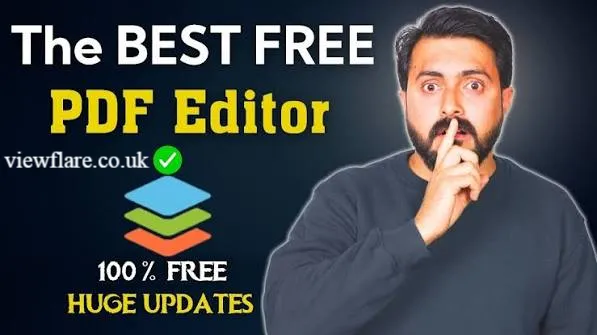
Quick answer: If you want the single best all around option, PDF Candy or Smallpdf’s free tier tends to win for most casual users thanks to their clean interface and lack of watermarks on basic edits.
What Makes a PDF Editor Actually Good?
Before jumping into specific tools, it helps to know what separates a great free option from a frustrating one. Here’s what to look for. source: PDFgear
- No watermark on exported files
- No forced sign up just to view your own document
- Support for text editing, not just annotations
- The ability to merge, split, or compress files
- A clean interface that doesn’t bury features under paywalls
Keep these points in mind as we go through each tool.
Which Free PDF Editor Has No Watermark?
This is probably the question people ask most, and for good reason. Nobody wants their finished document stamped with a company logo.
A few tools stand out here. PDF Candy lets you complete most basic tasks such as merging, splitting, and converting without slapping a watermark on your file. Smallpdf offers similar freedom for a limited number of daily tasks before nudging you toward a paid plan.
On the other hand, some popular tools like iLovePDF apply watermarks or usage limits once you go beyond simple conversions. It’s worth checking the fine print before committing your time to any single platform.
Can I Edit a PDF Completely Free?
Yes, you absolutely can, though the depth of editing you get depends on the tool. Basic edits like adding text, highlighting, or signing a document are almost always free across every major platform.
Where things get tricky is with advanced editing, such as rearranging entire paragraphs or editing scanned text through OCR. Those features sometimes sit behind a premium wall. viewflare
Here’s a simple breakdown of what’s typically free versus what usually costs extra.
| Task | Usually Free | Often Paid |
|---|---|---|
| Adding text or comments | Yes | |
| Signing documents | Yes | |
| Merging or splitting files | Yes | |
| Editing existing text blocks | Sometimes | Sometimes |
| OCR for scanned documents | Rarely | Yes |
| Batch processing multiple files | Rarely | Yes |
Top Free PDF Editors Compared
Let’s get into the actual tools. I’ve tested and researched each of these based on ease of use, feature depth, and how honest they are about their limits.
1. PDF Candy
PDF Candy is a browser based tool that covers nearly everything a casual user needs. You can edit text, convert files, compress documents, and even add electronic signatures.
Best For: Users who want a wide range of tools in one place without downloading anything.
2. Smallpdf
Smallpdf is known for its clean, almost minimalist design. It handles conversions, compression, and light editing tasks smoothly, though the free version limits you to a few tasks per day.
Best For: People who need occasional quick fixes rather than daily heavy use.
3. Sejda
Sejda strikes a nice balance between power and simplicity. It allows more advanced text editing than most free tools and even supports form filling.
Best For: Anyone who needs to fill out forms or make more detailed text changes.
4. Google Docs
This one surprises people. Google Docs can open and edit PDFs directly, converting them into an editable document format. It’s not perfect for complex layouts, but for simple text heavy files, it works great and it’s completely free.
Best For: Simple text documents where formatting isn’t overly complex. source: TechRadar
5. LibreOffice Draw
If you prefer downloading software instead of using browser tools, LibreOffice Draw is a solid open source choice. It gives you more manual control over layout and design elements.
Best For: Users comfortable with slightly more technical software who want offline access.
Feature and Limitation Comparison Table
| Tool | Watermark Free | Offline Access | OCR Support | Ease of Use |
|---|---|---|---|---|
| PDF Candy | Yes | No | Limited | Very Easy |
| Smallpdf | Limited daily use | No | Limited | Very Easy |
| Sejda | Yes, with limits | No | Yes | Easy |
| Google Docs | Yes | No | Basic | Very Easy |
| LibreOffice Draw | Yes | Yes | No | Moderate |
Is There a Free Alternative to Adobe Acrobat?
Adobe Acrobat is the industry standard, but it’s also expensive for casual users. The tools listed above cover most of what everyday users need from Acrobat, minus the subscription fee.
If you’re a student, freelancer, or small business owner who only edits PDFs occasionally, you likely don’t need Acrobat at all. Save your money and stick with the free options unless you’re doing heavy professional document work regularly. viewflare
What Is the Best Online PDF Editor?
Among purely online tools, Sejda and PDF Candy consistently rank as the strongest choices. They combine solid editing features with a straightforward interface that doesn’t require a learning curve. viewflare
If privacy is a concern for you, keep in mind that online tools process your file through their servers. For sensitive documents, an offline tool like LibreOffice Draw might feel safer since your file never leaves your computer.
Quick Tips Before You Start Editing
- Always keep a backup copy of your original file before editing
- Check file size limits, since many free tools cap uploads around 10 to 25 MB
- Test the export first with a non important document to check for watermarks
- Read the terms of service if you’re editing anything confidential
Conclusion
Finding the best free pdf editor doesn’t have to be complicated. Whether you go with PDF Candy for its variety, Smallpdf for its clean design, or Google Docs for simple text edits, there’s a free tool out there that fits your exact need.
The key takeaway here is that you rarely need to pay for basic PDF editing anymore. Free tools have caught up significantly, and unless you’re doing professional level document production, they’ll cover you completely.
Which tool are you planning to try first? Drop a comment below or share this article with a friend who’s still paying for software they don’t need.
Frequently Asked Questions
Is it safe to edit PDFs online? Most reputable tools encrypt your file during transfer and delete it after a set period. Still, avoid uploading highly sensitive documents to unfamiliar sites.
Can I edit a scanned PDF for free? Some tools like Sejda offer limited OCR support for free, though full accuracy usually requires a paid plan.
Do free PDF editors work on mobile? Yes, most browser based tools like PDF Candy and Smallpdf work fine on mobile browsers, though the experience is smoother on desktop.
Will editing a PDF change its original formatting? It can, especially with complex layouts. Simple text documents usually convert cleanly, but designs with heavy graphics may shift slightly.
What’s the file size limit for free PDF editors? This varies by tool, but most free versions cap uploads between 10 and 25 MB per file.
Can I merge multiple PDFs for free? Yes, nearly every tool listed in this article supports free merging, including PDF Candy and Smallpdf.
Do I need to create an account to use these tools? Most tools let you complete basic tasks without signing up, though creating a free account sometimes unlocks extra daily uses.
About the Author : Sarah Mitchell is a tech writer who focuses on productivity tools and everyday software solutions. She enjoys testing free apps to help readers save money without sacrificing quality, and spends her free time exploring new ways to simplify digital workflows.
email: johanharwen@314gmail.com
Author Name: Sarah Mitchell