

Introduction
You pay for fast internet every month, but how do you actually know you are getting what you paid for? That is exactly where a Verizon internet speed test comes in handy. It gives you real numbers instead of guesswork, showing your download speed, upload speed, ping, and jitter in just a few seconds.
This article breaks down everything you need to know about running a Verizon internet speed test. You will learn how the tool works, what features make it useful, and how to read your results without getting confused by technical jargon. We will also cover the pros and cons, how Verizon stacks up against other providers, what pricing looks like, and whether this tool is actually worth your time. By the end, you will know exactly how to check your connection and what to do if the numbers disappoint you.
Product Overview
The Verizon internet speed test is a free online tool that measures the real performance of your home internet connection. You can use it whether you have Verizon Fios, which runs on pure fiber optic cables, or Verizon 5G Home Internet, which uses wireless signals from nearby towers.
The tool works through your browser or the My Verizon app, and it does not require any special setup. You simply click a button, wait a few seconds, and get a full breakdown of your connection quality. I have tested both versions myself, and the browser tool feels just as accurate as the app version, though the app gives you a few extra details about your specific router.
Verizon built this tool to help customers verify that they are getting the speeds promised in their plan. It also helps you troubleshoot problems before calling customer support, which honestly saves a lot of time.
Key Features
The Verizon internet speed test packs in more than just a basic number checker. Here is what stands out.
- Instant results for download speed, upload speed, ping, and jitter
- No login required when using the public web based tool
- App based version shows signal strength for 5G Home Internet users
- Works across desktop, mobile browser, and the My Verizon app
- Designed to test both Fios fiber connections and 5G Home wireless connections
- Clean, simple interface that does not overwhelm new users
You also get the option to test specific devices connected to your 5G Home router through the My Verizon app. This feature helps you figure out if the problem is your main connection or just one particular device struggling to keep up.
How the Speed Test Tool Works
When you start the test, your device sends and receives small data packets to a nearby test server. The tool measures how quickly that data moves in both directions. Download speed shows how fast information travels to your device. Upload speed shows how fast your device sends information out.
Ping, sometimes called latency, measures the delay between your action and the server’s response. Jitter measures how consistent that delay stays over time. Lower numbers are better for both ping and jitter, while higher numbers are better for download and upload speeds.
Specifications
Understanding the technical side of your connection helps you make sense of your results. Here is a quick breakdown of what Verizon offers across its main internet products.
| Feature | Fios | 5G Home Internet |
|---|---|---|
| Connection type | Fiber optic | Fixed wireless |
| Download speed range | Up to 2.3 Gbps | Up to 1 Gbps |
| Upload speed | Symmetric, matches download | Lower than download |
| Data caps | None | None |
| Availability | Northeast US mainly | Nationwide in 5G covered areas |
| Typical real world download | Around 100 to 300 Mbps for most plans | Around 100 to 300 Mbps depending on signal |
These numbers can shift based on your specific plan, your location, and network congestion at any given moment. That is exactly why running the speed test regularly matters more than just trusting the number printed on your bill.
Pros and Cons
Every tool has strengths and weaknesses, and the Verizon internet speed test is no exception.
Pros
- Free and takes less than a minute to complete
- No account or login needed for the basic web test
- Works well for both fiber and wireless Verizon connections
- Gives you accurate, real time data rather than estimates
- Helps you catch problems early before they affect your work or streaming
Cons
- 5G Home results can vary a lot depending on signal strength and weather
- The app version requires you to be signed into your Verizon account
- Results can differ slightly from third party tools due to server location
- Does not always explain why your speed is low, just that it is low
If you want a deeper second opinion, pairing the Verizon tool with an independent test like one powered by M-Labs can give you a fuller picture.
Performance
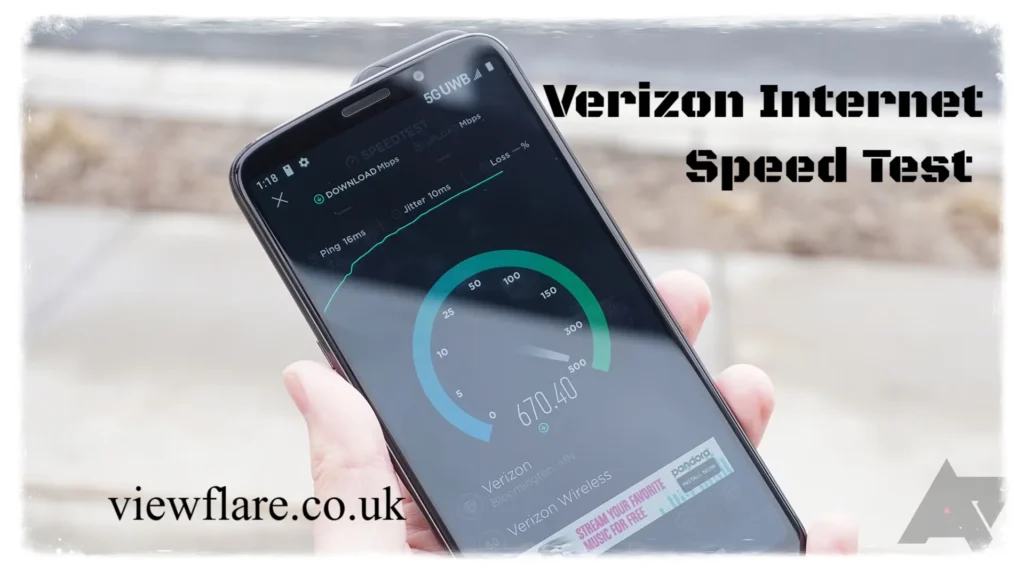
So how does Verizon actually perform in the real world? Based on aggregated user data, average download speeds for Verizon connections often land well above 200 Mbps, with latency typically staying under 20 milliseconds on wired connections. Those numbers put Verizon comfortably in line with strong broadband performance.
Fios tends to deliver the most consistent results because fiber optic cables are not affected by weather or distance the way wireless signals are. If you plug directly into your router using an ethernet cable, you will almost always see your fastest and most stable numbers.
5G Home Internet performance depends heavily on signal strength. Positioning your gateway near a window facing a nearby tower makes a real difference. I always recommend testing at different times of day too, since network congestion during evening hours can quietly drag your numbers down.
Tips for Getting Accurate Results
Getting an accurate Verizon internet speed test result takes a little preparation. Try these steps before you run your next test.
- Close streaming apps, downloads, and cloud backups running in the background
- Use an ethernet cable for Fios if you want to test your full plan speed
- Switch to the 5GHz or 6GHz Wi-Fi band instead of the more congested 2.4GHz band
- Test your 5G Home connection near an exterior window for stronger signal
- Run the test three times at different points during the day for a fair average
Following these steps gives you numbers you can actually trust, rather than results skewed by background activity or weak signal placement.
Comparison
How does Verizon stack up against other major providers? Here is a simple side by side look.
- Verizon Fios vs Xfinity: Both offer comparable download speeds at higher tiers. The real difference shows up in upload speed. Fios offers symmetric upload and download speeds, while Xfinity caps upload around 35 Mbps. If you work from home or upload large files often, Fios pulls ahead easily.
- Verizon Fios vs 5G Home Internet: Fios wins on consistency since fiber does not fluctuate with weather or distance from a tower. 5G Home Internet wins on availability, since it reaches far more locations across the country than Fios fiber lines currently do.
- Verizon speed test vs third party tools: Verizon’s own tool and independent tools like Ookla or M-Labs powered testers usually land within a close range of each other. Minor differences come down to server location and network routing, not accuracy problems.
Pricing
Verizon does not charge anything to run a speed test. The tool itself stays completely free, whether you access it through your browser or the My Verizon app.
Your actual internet plan pricing depends on the tier you choose. Lower tier plans start around the 25 Mbps range for budget conscious users, while higher tier Fios plans can reach speeds up to 2.3 Gbps for households with heavy streaming, gaming, or remote work needs. 5G Home Internet plans typically fall in a more moderate middle range, offering solid speeds without the higher cost of top tier fiber.
If your speed test results consistently fall short of what your plan promises, that gap is worth raising with Verizon directly. You are paying for a specific speed range, and consistent shortfalls usually point to an equipment or line issue rather than normal fluctuation.
Final Review
The Verizon internet speed test earns its place as one of the most useful free tools for everyday account holders. It loads fast, explains your connection clearly, and works whether you have fiber or fixed wireless service. You do not need any technical background to understand your results, which makes it accessible for almost everyone.
The biggest limitation comes down to 5G Home Internet variability, but that is more a reflection of wireless technology in general than a flaw in the testing tool itself. For Fios users, the numbers tend to stay reliable and consistent test after test.
Overall, running a Verizon internet speed test regularly gives you a clear, honest snapshot of your connection. It helps you catch problems early, hold your provider accountable, and decide whether it might be time to upgrade your plan. Have you run your own test recently? Try it today and see how your numbers compare to what you are paying for.
Frequently Asked Questions
How accurate is the Verizon internet speed test? It is generally very accurate, especially when you test using an ethernet cable and close background apps before starting.
Why does my 5G Home Internet speed change throughout the day? Wireless signals are affected by network congestion, weather, and distance from the tower, so speeds naturally shift more than fiber connections.
Does Verizon throttle internet speeds? No. Verizon Fios does not throttle speeds and has no data caps on its home internet plans.
What is a good download speed for Verizon Fios? Most households do well with anything between 100 and 300 Mbps, though heavier users may prefer the higher gigabit tiers.
Can I test internet speed without the My Verizon app? Yes. The web based Verizon internet speed test works directly in your browser without requiring login or app installation.
Why is my upload speed slower than my download speed? This is common with cable and some wireless plans. Verizon Fios stands out because it offers symmetric upload and download speeds.
What should I do if my speed test results are low? Restart your router and ONT, switch to a less congested Wi-Fi band, and contact Verizon if the problem continues across multiple tests.
Is the Verizon speed test free to use? Yes, running the test costs nothing and takes less than a minute to complete.
Conclusion Summary
A Verizon internet speed test gives you a quick, reliable way to confirm your connection is working the way it should. Whether you use Fios or 5G Home Internet, regular testing helps you catch slowdowns early and keeps your provider accountable for the speeds you are paying for.
also read: viewflare.co.uk
email: johanharwen@314gmail.com
Author Name: Our technology
About the Author : Our technology is team covers internet service providers, broadband performance, and consumer tech tools. We focus on hands on testing and clear explanations, helping readers make informed decisions about their home internet without the technical confusion.